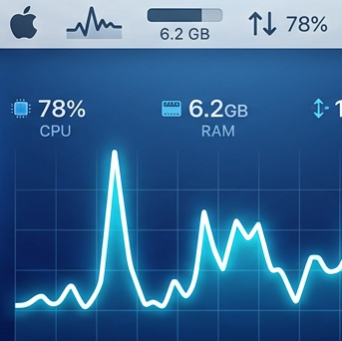
Your Mac's vitals,
right in the menu bar
A lightweight, free and open-source system monitor for macOS. CPU, memory, disk, network, battery, temperatures, displays and weather, each with its own widget.
Everything you need, nothing you don't
Build your own menu bar with a drag-and-drop widget builder.
CPU
Live usage with a per-core history graph and activity bars.
Memory
See what's used at a glance, with warning colours when it gets tight.
Disk
Free space and usage, highlighted before you run out.
Network
Upload and download speeds with clear, separate graphs.
Battery
Charge level and status, with low-battery alerts by colour.
Temperatures
Keep an eye on heat with warning and danger thresholds.
Displays
Connected display count and details.
Weather
Local conditions in your menu bar, with a remembered location.
Customisable
Drag-and-drop widget builder, colour themes, and a monochrome menu bar that follows light or dark.
Launch at login
Turn it on in Preferences and forget about it.
Install in 3 steps
It takes about a minute.
- Download the zip using the button above, unzip it and drag
MacMonitor.appinto/Applications. - Open it. macOS will probably warn that it "could not verify" the app. That's expected: MacMonitor is open source and built on GitHub, but not signed with a paid Apple Developer ID.
- Allow it once. Run this in Terminal, then open the app normally:
xattr -dr com.apple.quarantine /Applications/MacMonitor.app
Or go to System Settings → Privacy & Security and click Open Anyway.
FAQ
Is it really free?
Yes. MacMonitor is free and open source. Donations are optional and help keep development going.
Why the security warning?
The app isn't notarized because that requires a paid Apple Developer account. You can read the code and build it yourself if you prefer.
How do I upgrade?
Quit the running MacMonitor from its menu bar item, then replace the app in /Applications with the new version.
Which macOS versions work?
macOS 13 (Ventura) or later.
Can I build it myself?
Yes. Clone the repo and run ./scripts/build_app.sh (requires Swift 6). See the README.
♥ Support MacMonitor
If it's useful to you, you can chip in with USDT on the Arbitrum One network.
0x157F29dF2DF3760A96D8AbeFF9c0c93004Eb0de0
Only send USDT on Arbitrum One to this address. Funds sent on other networks may be lost.